Client/External Helper File Integration
With the main script now operational, we can integrate LicenseBox into your PHP application using the external/client helper file. This file can be generated from your LicenseBox admin panel and acts as a wrapper for the LicenseBox Client/External API.
The external/client helper file is a crucial component that provides the necessary requirements for your application to communicate with your LicenseBox server. By using this file, you can allow your users to activate, verify, and deactivate licenses, and they can also check for and download any updates that you have released from your LicenseBox admin panel.
Note: Please be advised that helper files are currently only available for the PHP programming language. However, you can access the comprehensive API documentation here which contains all API endpoints, parameters, and cURL snippets to aid you in making requests from your non-PHP applications.
Getting Started
Use this checklist to integrate the generated helper file in your PHP app from start to finish.
-
Create product and API key: In LicenseBox admin, create your product, then create an API key of type External from API Settings. Enable only the endpoints your client application should access.
-
Generate your helper file: Go to Generate > Client Helper File, select product, API key, language, verification period, and Envato option (if needed), then generate and copy the code.
-
Save helper in your app: In your application root, create an
includesfolder and save the generated code asincludes/lb_helper.php. -
Verify helper paths: Open
lb_helper.phpand confirm $root_path points to your application root and $license_file points to your desired license file location. -
Load helper in your app bootstrap: In your main entry or bootstrap file (
index.php,init.php, etc.), add:require_once 'includes/lb_helper.php'; $api = new LicenseBoxExternalAPI();
Note: The helper file only provides methods. Your application must call these methods where needed.
-
Add license verification: Verify the license in your protected app flow. Basic example:
$res = $api->verify_license(); if($res['status'] != true){ die('Your license is invalid, please contact support.'); } -
Optional periodic verification: Use verification period checks if configured in the generated helper:
$res = $api->verify_license(true); if($res['status'] != true){ die('Your license is invalid, please contact support.'); } -
Optional update check: Example:
$res = $api->check_update(); if($res['status']){ echo "New ".$res['version']." update available."; } -
Use sample modules if needed: You can directly use the ready samples from
licensebox_integration_samples:/activate,/install,/update,/deactivate, and/licensebox-wp-sample. Add your generatedlb_helper.phpin the sampleincludesfolder before testing. -
Debug when needed: If integration is not working as expected, set
LB_API_DEBUGtotrueinsidelb_helper.phpand retry the request flow. -
Protect production code: Before release, obfuscate sensitive PHP files (including the helper and entry points) to reduce tampering risk.
For complete endpoint-level behavior, parameters, and responses, use the
Swagger API documentation.
Current schema version: 1.7.2.
API Onboarding Path
Use this short path to validate your client integration without extra setup overhead.
- Install and configure LicenseBox: Complete installation and create one product in admin.
- Create External API key and enable only required client endpoints.
- Connectivity check: call
POST /check_connection_ext. - Client flow check: call
POST /activate_licensethenPOST /verify_license. - Optional update check: call
POST /check_update.
Open the External/Client API section in Swagger for all client endpoint examples.
Sample-to-API Mapping
Use this mapping to connect each sample folder to its helper calls and Swagger endpoints.
| Sample Folder | Main Helper Method(s) | Swagger Endpoint(s) | Expected Result |
|---|---|---|---|
/activate |
activate_license() |
POST /activate_license |
status: true and lic_response is returned |
/install |
activate_license(), verify_license() |
POST /activate_license, POST /verify_license |
Installer completes with a valid local license state |
/update |
check_update(), download_update() |
POST /check_update, POST /download_update/{type}/{update_id} |
Update metadata is returned and update package can be downloaded |
/deactivate |
deactivate_license() |
POST /deactivate_license |
License activation is marked inactive and local .lic is removed |
/licensebox-wp-sample |
verify_license(), check_update() |
POST /verify_license, POST /check_update |
WP plugin reflects license validity and shows update notices |
Swagger quick links: activate_license, verify_license, check_update, download_update, deactivate_license.
Using Integration Sample Scripts
To test the included integration samples, first add your generated external helper
file as lb_helper.php inside the includes folder present
in the licensebox_integration_samples folder
Note: As the name suggest these are only integration samples and may require additional changes to be used in a production environment.
1. Activator (/activate folder)
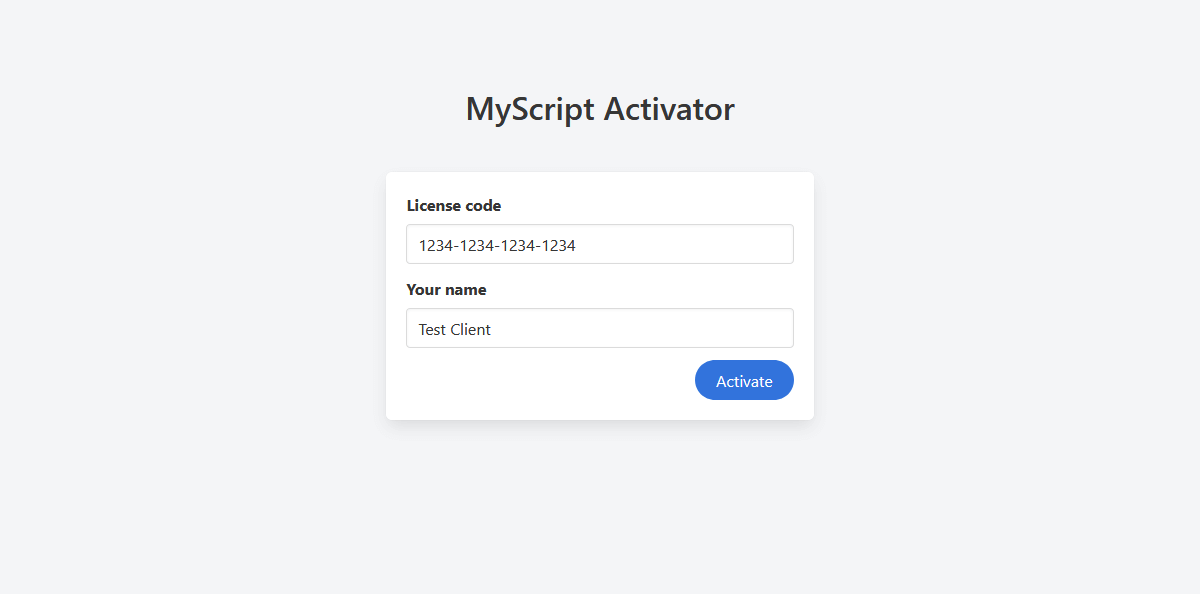
This script creates a local .lic license file based on the provided valid
license code and client name, once the user has activated the script or the
.lic license file is created you can check the license using the
verify_license() function in your application entry file as explained
above.
2. Installer (/install folder)
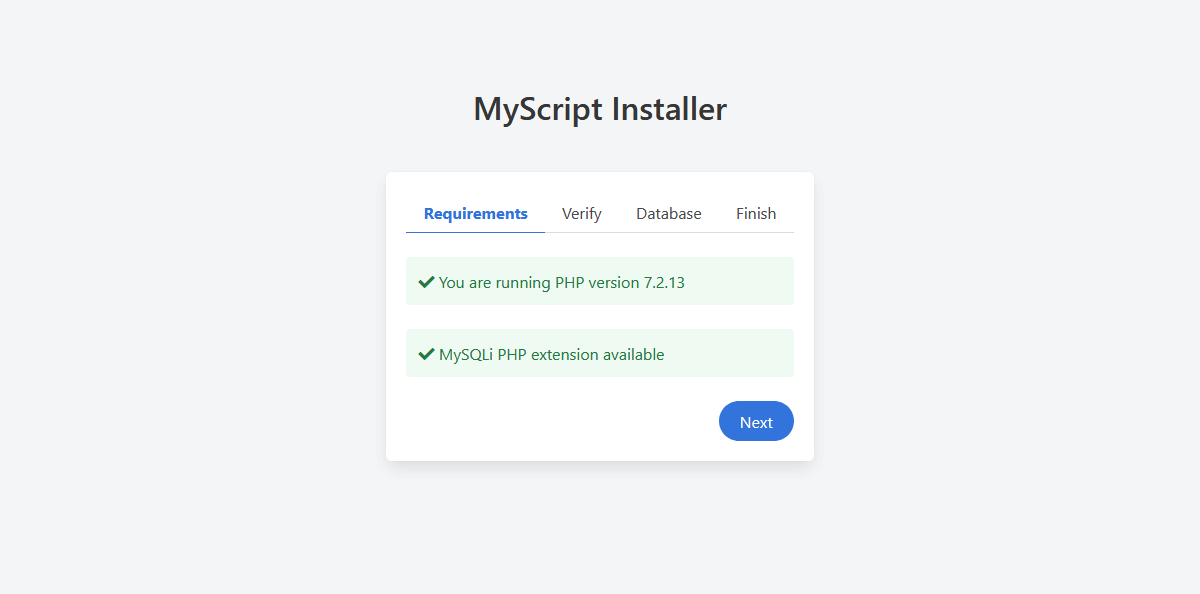
You can use a pre-made script installer, if you don't have a installer in your
application, just add your SQL schema dump in the database.sql file and
enjoy the all new script installer for your application with a built-in license
activation system.
3. Updater (/update folder)
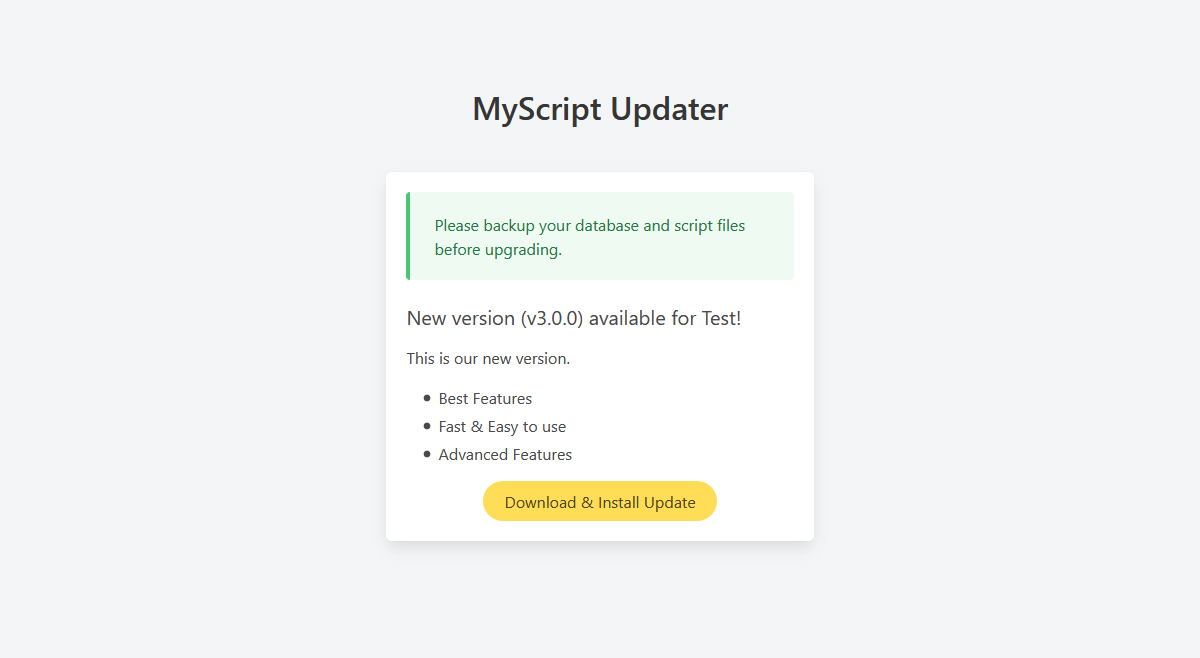
This script will act as an updater for your application, just make sure you have the
$root_path in lb_helper.php pointing to your application root, you
can also pass your database details to automatically import update .sql
file.
Note: Whenever you release any new update for your application you should also
include the updated lb_helper.php file in the main update (.zip) file with
the $current_version value changed to the new version otherwise the updater won't
recognize if the script has already been updated or not. LicenseBox will extract/replace
all the update files in your application root so make sure you push updates with the
correct file structure.
4. Deactivator (/deactivate folder)
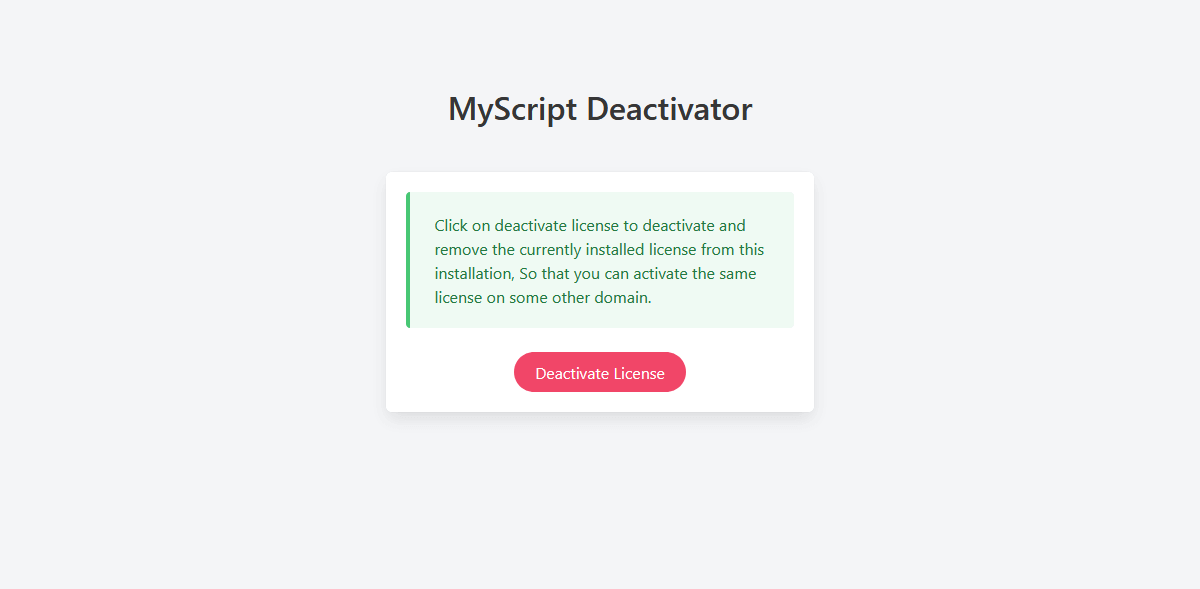
This script deactivates and removes the locally stored .lic license file and
it marks it's activation as inactive on the LicenseBox server, so that the client can
activate the same license on some other domain in the future. This is a must have
feature if you are planning to have single use licenses.
5. Wordpress Sample Plugin (/licensebox-wp-sample folder)
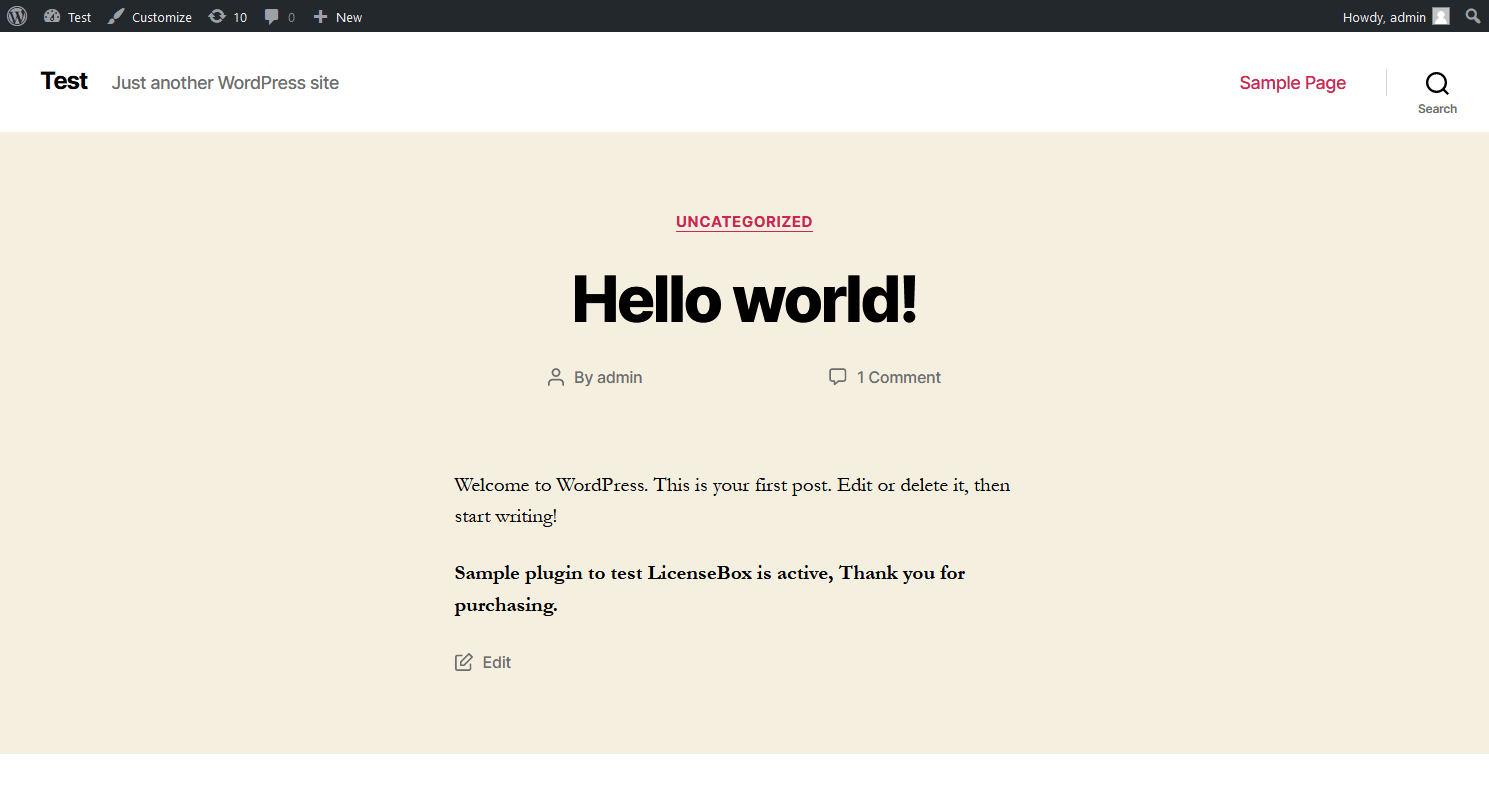
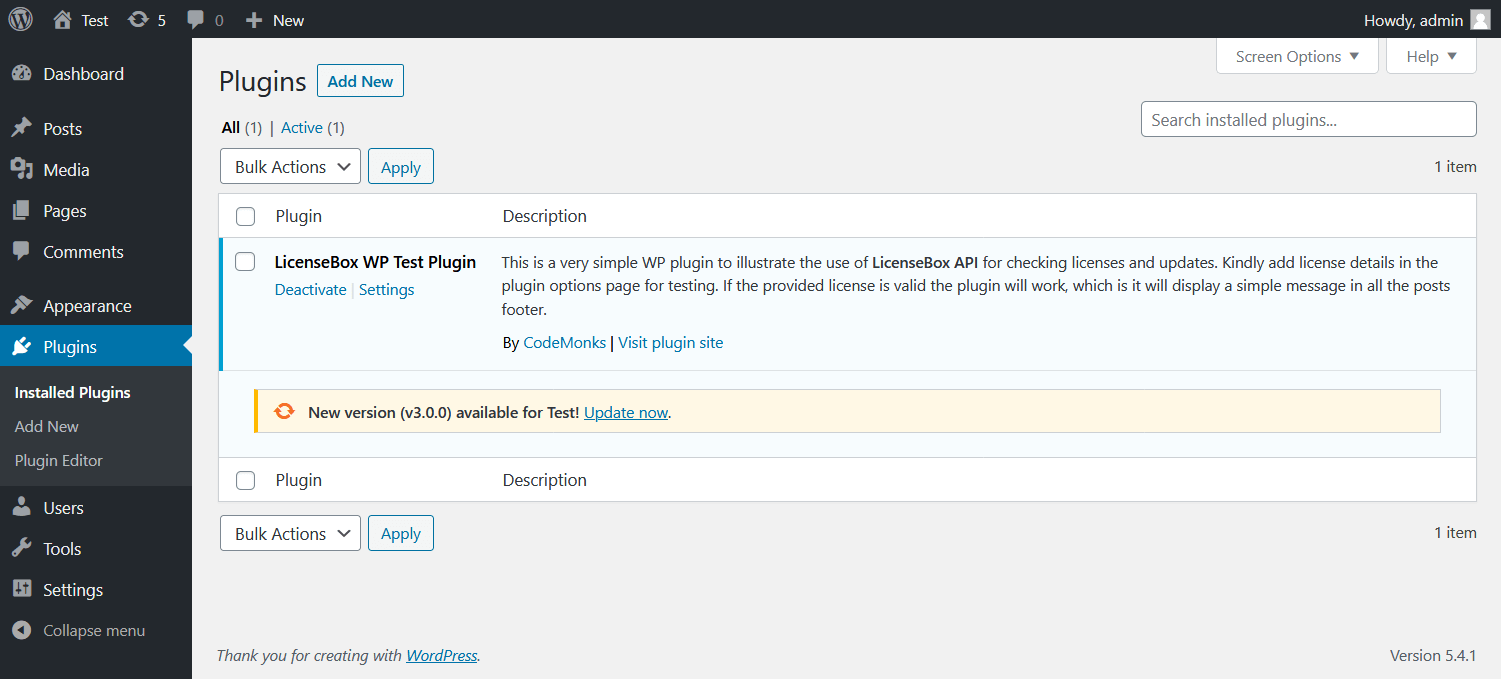
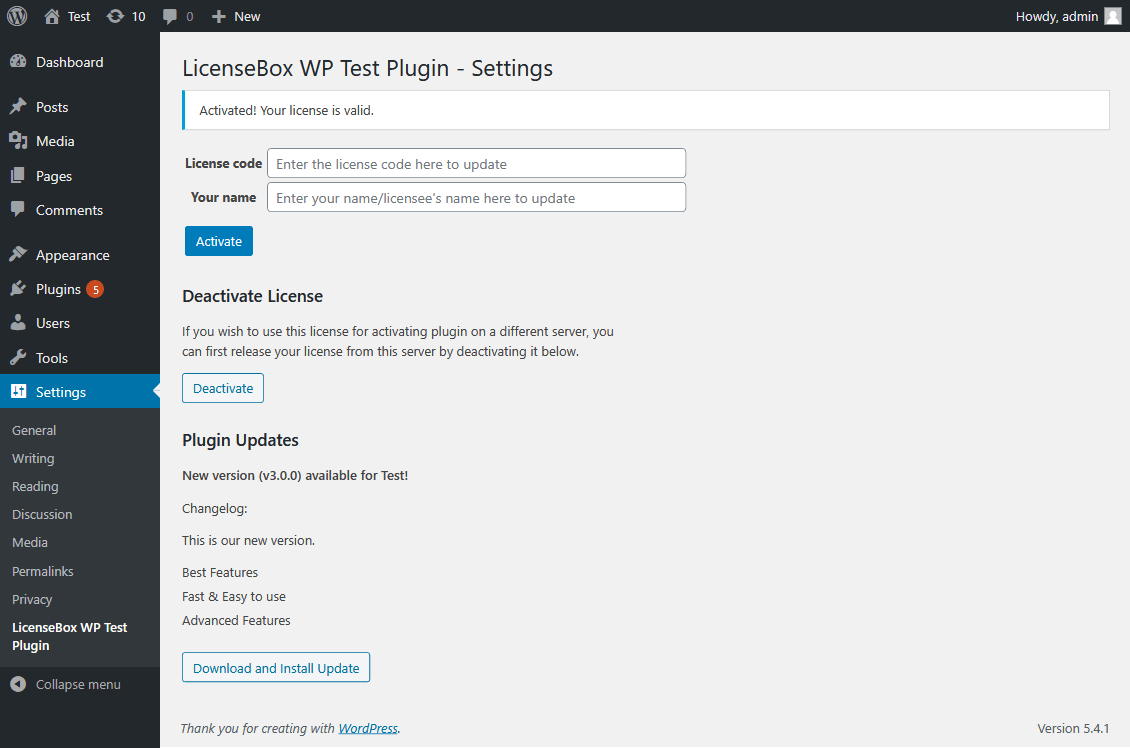
You can also checkout the included sample wordpress plugin to see how licensebox can be
integrated with a wordpress plugin, add your Wordpress External Helper File code as
lb_helper.php file in the includes folder and create a plugin
.zip file to install on your wordpress site. This plugin simply displays a dummy text in
all posts footer when the license is active. When any new updates are available it will
also show relevant notifications in the WordPress plugins page. You can easily port the
license and updates system from it to your wordpress plugin/theme or you can use this
plugin as a base for your next project.
‹ Previous (Overview) Next (Internal Helper File Integration) ›
Please mail us your feedback at support@licensebox.app
Follow us on twitter at @LicenseBoxApp for future product
updates